NewTabPage

A New Tab Page for Chrome
That Organizes Your Work

NewTabPage turns every new tab into a clean workspace for tabs, bookmarks, AI tools, and daily links. Save context by project, open the right setup faster, and keep your browser focused instead of cluttered.

Add to Chrome
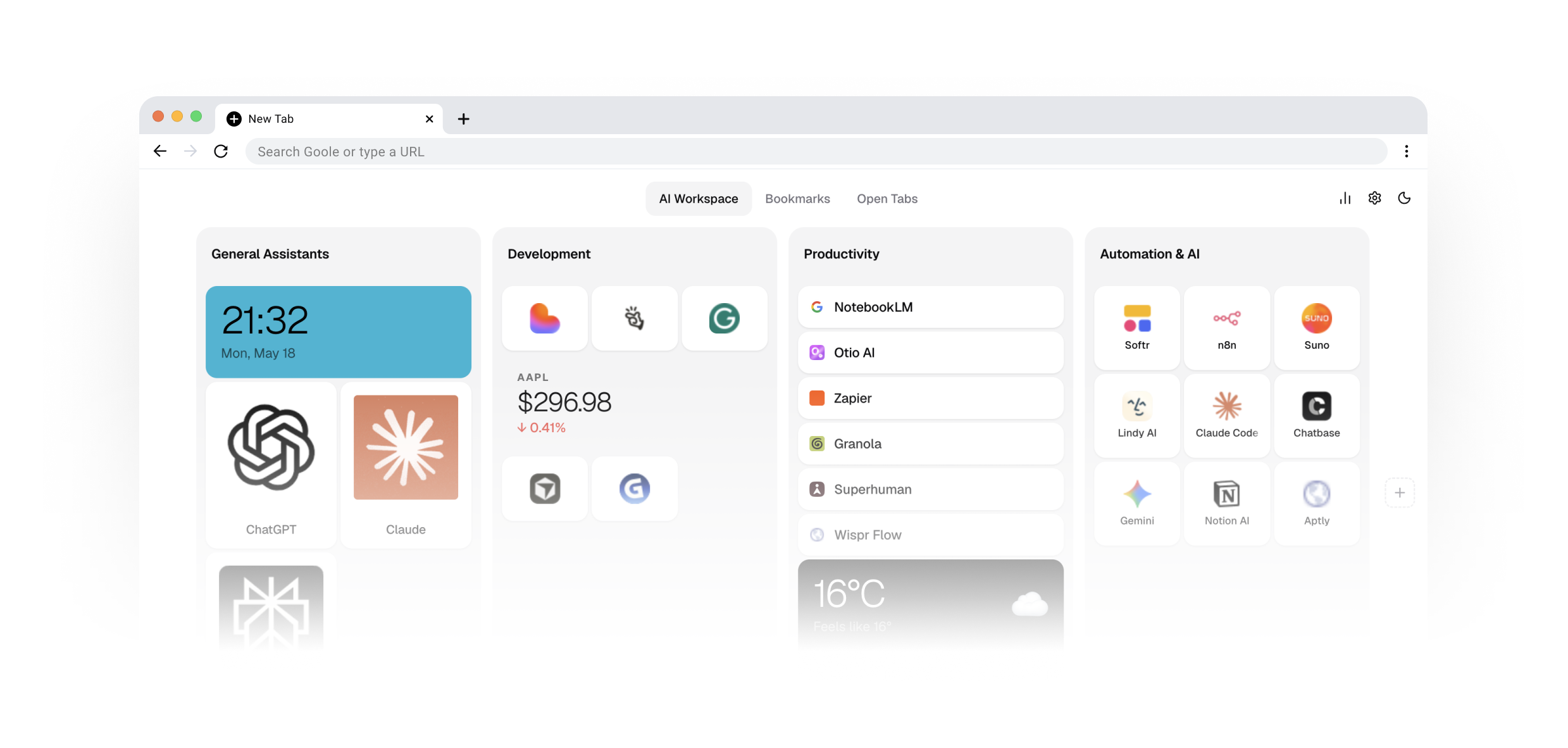
NewTabPage in action — clock, links, weather, and AI tool groups.

Organize Tabs, Bookmarks, and Daily Tools in Focused Workspaces

NewTabPage helps you keep the right links together, reopen the right setup quickly, and switch between workstreams without rebuilding your browser from memory.

Save Tabs
by Project

Group tabs around the work you are doing, not the order you opened them.

Keep Bookmarks
in Context

Store important links next to the project, client, or task they belong to.

Organize AI
Tools in One Place

Keep ChatGPT, Claude, Gemini, Perplexity, and other daily tools inside focused workspaces.

Open What You Need
in One Click

Launch saved links, widgets, and project setups instantly from every new tab.

Stay Fast and
Distraction-Free

A minimal layout that feels lightweight, keyboard-friendly, and built for focused browsing.

Switch Workspaces
Without Losing Context

Jump between Work, Side Project, or Research in one click - each space keeps its own tabs, links, and tools.

Not just a speed dial. Not just a bookmark list. Not just a tab saver. NewTabPage gives you a structured workspace for the links, tabs, and browser tools you come back to every day.

Add to Chrome

Local-First by Default

Your workspaces, tabs, bookmarks, and settings are stored locally using Chrome storage. Optional widgets and third-party services connect only when you use them. No account is required to get started.

Open Source & Transparent

NewTabPage is fully open source under the MIT license. Inspect the code, verify exactly how your data is handled, report issues, or contribute - everything is public on GitHub.

View on GitHub

Questions Before You Install?

NewTabPage is built for active work, not just storing links or clearing tabs.

NewTabPage is a Chrome extension that turns every new tab into a personal workspace. Instead of a blank page or a list of most-visited sites, you get organised groups of links, live widgets (clock, weather, markets, activity), and three layout modes - List, Icons, or Cards - so you can reach anything with a single click.
Bookmarks are a flat, hard-to-navigate list. Tab savers snapshot open tabs. NewTabPage is a curated, always-visible dashboard you build intentionally - grouped by context, decorated with widgets, and sorted exactly the way your brain works. It's not a backup, it's a launchpad.
Yes. You can create as many folders as you need - Work, Design, AI Tools, Finance, Side Project - and add any sites or widgets inside each one. Switch between folders with a single click at the top of the page.
Your setup is saved automatically in Chrome's local storage, so everything is exactly where you left it every time you open a new tab - no manual saving required.
Yes. Once installed, every new tab opens your personal dashboard instead of Chrome's default page. You can uninstall at any time to get the original back.
No account, no sign-up, no email. Install the extension and start building your workspace immediately.
Yes, completely free.
Completely. All your data - groups, links, widgets, settings - is stored only in your browser. Nothing is sent to any server. We don't collect, store, or have access to anything you add.
NewTabPage

Start Every New Tab With Context

Turn tab chaos into a workspace built for focus. NewTabPage gives you a faster way to organize tabs, bookmarks, AI tools, and everyday browsing in Chrome.

Add to Chrome
Created by @malinovskyi